No signal · 4 phones connected

When the signal dies, we still look out for each other.

Talk, message, share your location and send SOS between Android phones, directly over Wi‑Fi Direct. No internet, no mobile credit, no cell towers.

  • No account
  • No server
  • No ads
  • Android 6.0+

One night, no signal

This is what it feels like when the towers go dark.

  1. The power cuts out. The bars disappear.

    The group chat goes quiet, but the phones are still on. Open Saling Jaga, tap search, and the neighbours' phones show up within seconds, straight over Wi‑Fi Direct.
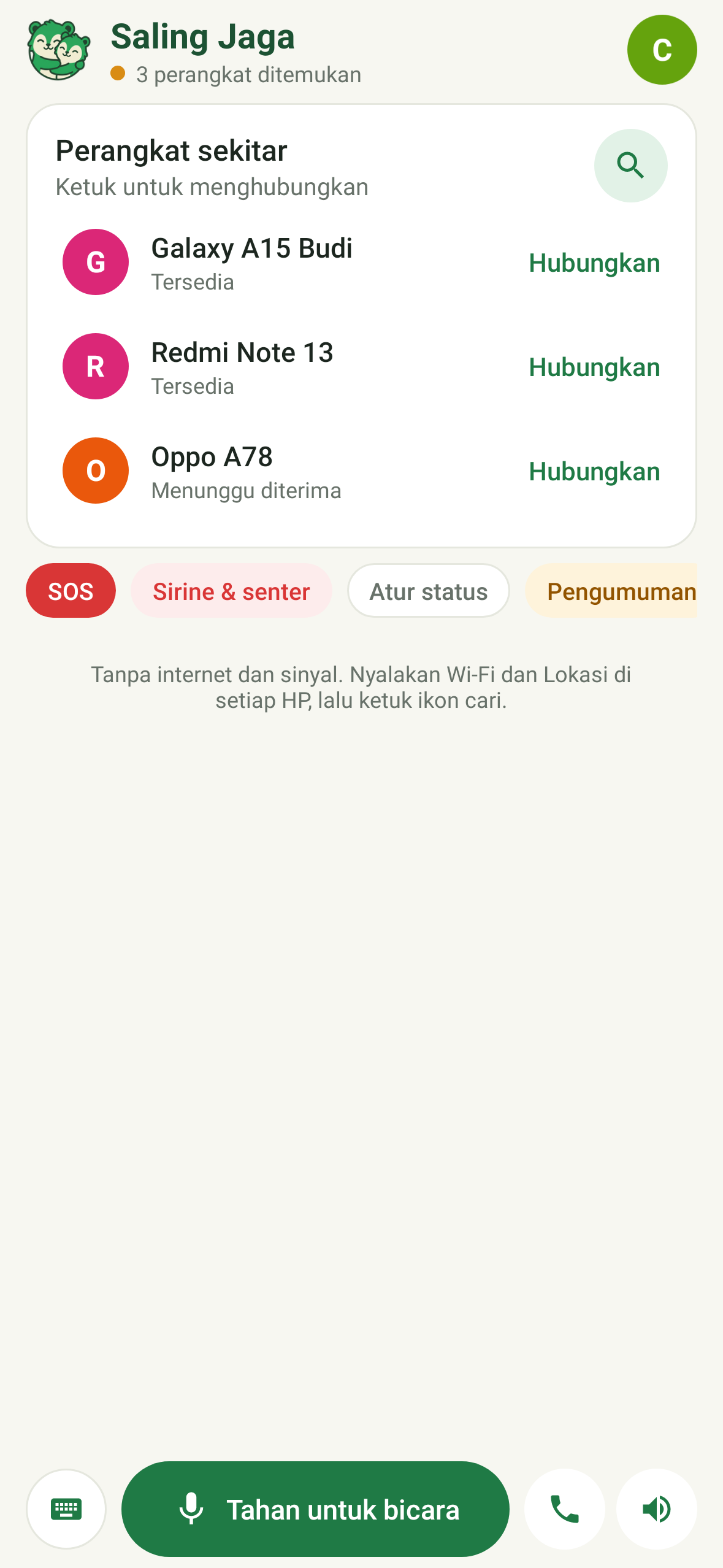
    List of nearby phones ready to connect
  2. Budi holds the button, everyone hears.

    Walkie-talkie to the whole group, or chat when it is too loud to talk. Messages hop from phone to phone, with no server in between.
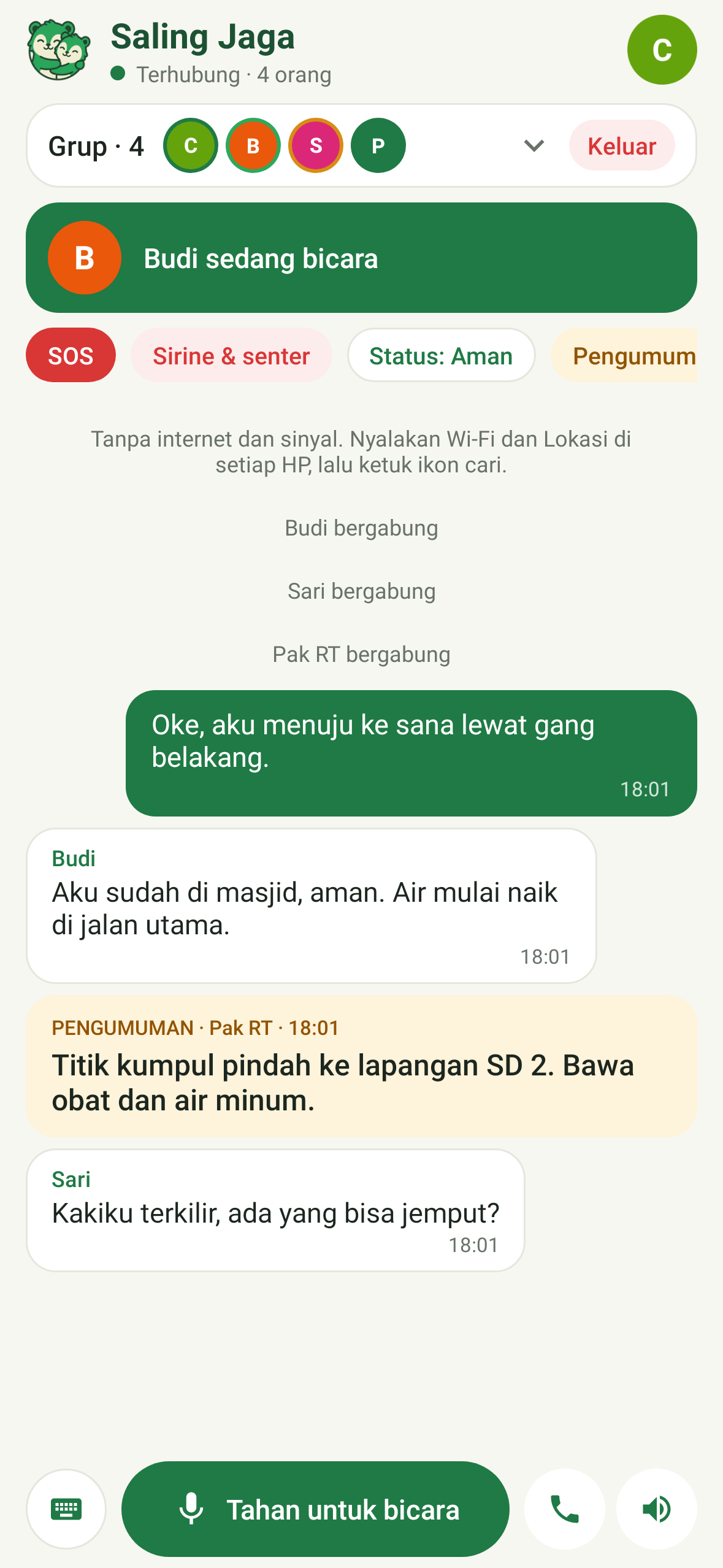
    A group of four people, Budi is talking
  3. Pak RT moves the meeting point.

    One announcement sits above every chat: Post 3, 250 m north-east. Every phone knows the direction and the distance.
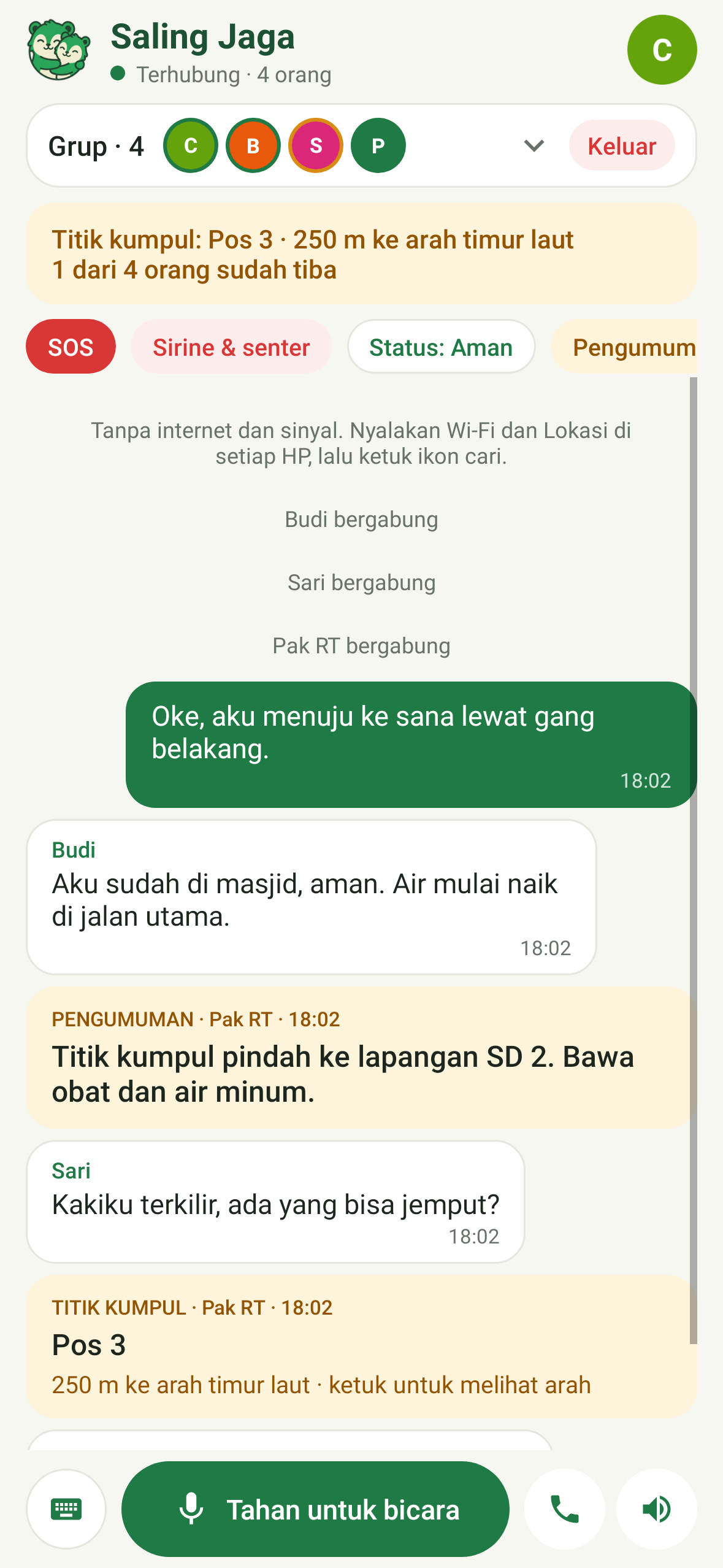
    Meeting point announcement: Post 3, 250 m north-east
  4. Sari sends an SOS.

    An alarm rings on every phone, with her distance, direction and battery: 259 m north-west, 21% left.
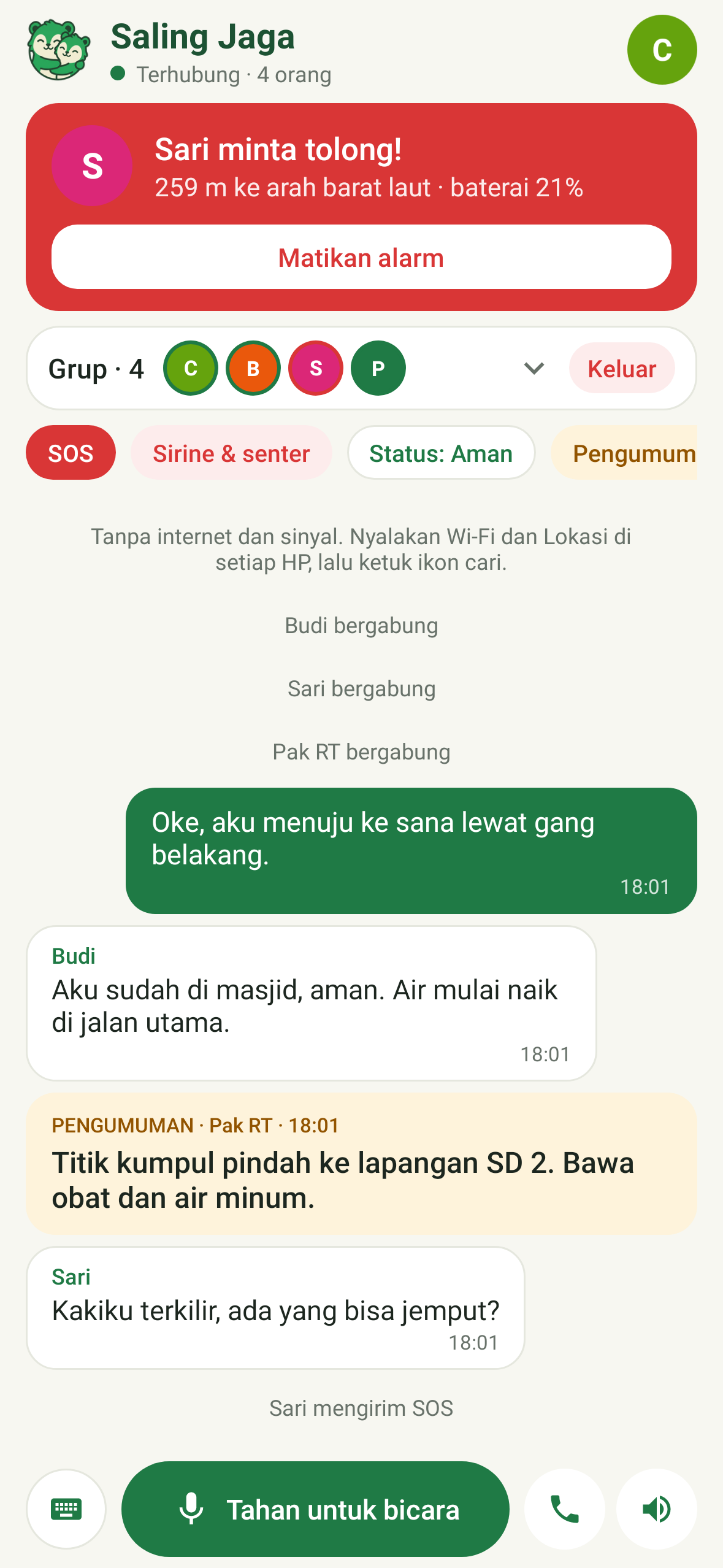
    Incoming SOS from Sari, 259 m north-west
  5. Whoever hasn't arrived, shows.

    The compass shows every member and the meeting point. Who is already there, and who is still on the way.
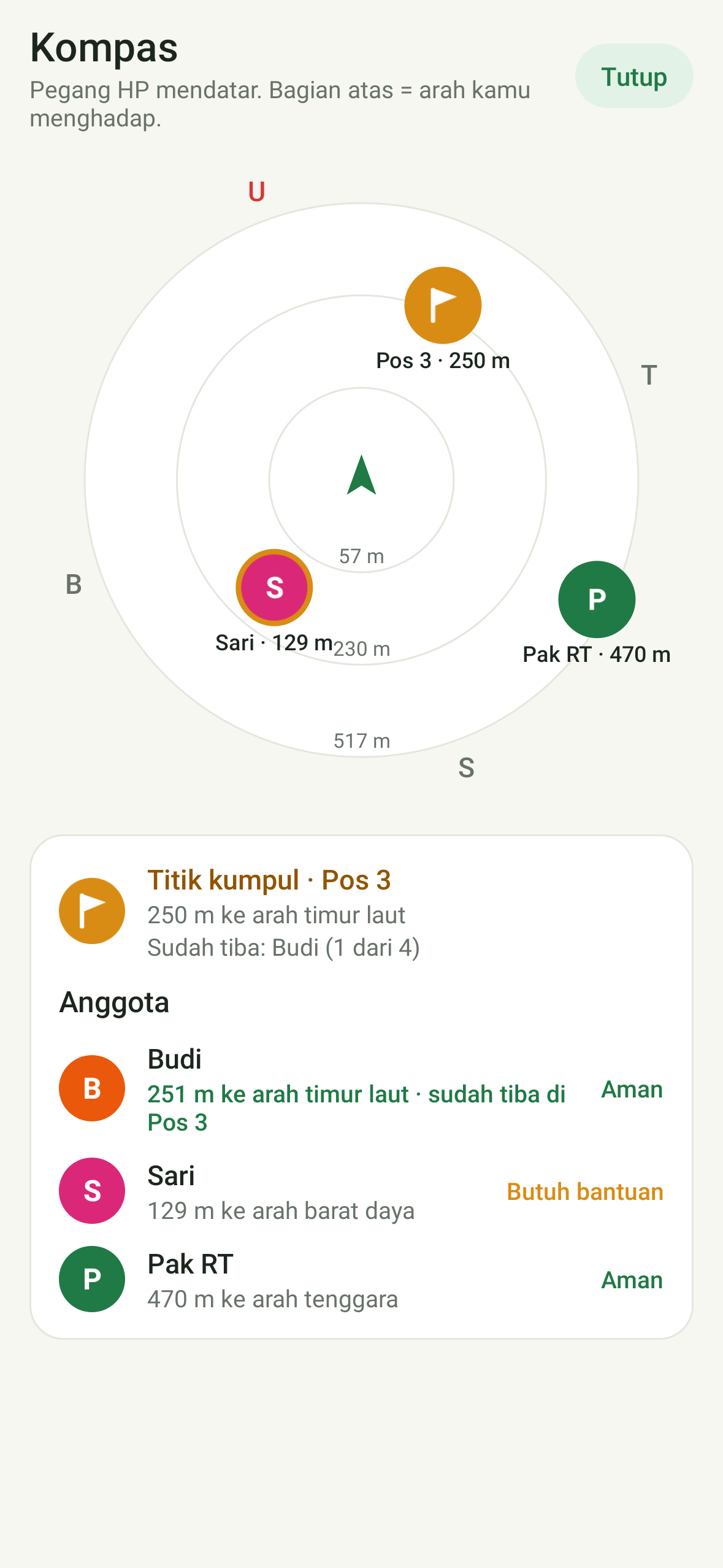
    Compass with member positions and the meeting point

Features

Everything a group needs when the signal is gone.

Walkie-talkie & calls

Hold to talk to the whole group, or switch to a two-way call.

SOS with direction

An alarm on every phone, with the distance and direction to the sender. Also by pressing a volume key 5×.

Compass & offline map

See where every member is, even without internet.

Meeting point

Mark a place to gather and see who has arrived.

Chat, photos & private messages

To the group or just one person, end-to-end encrypted.

Siren & medical card

Siren and flashlight so you are easy to find, plus medical info that goes out with your SOS for rescuers.

Disaster & first-aid guide

Earthquakes, floods, landslides, CPR, burns and more. Stored on the phone, readable without internet.

  • Voice notes
  • Saved chat history
  • Roll call
  • Simple mode for older users
  • Find missing family
  • Announcements
  • Member status & battery
  • Battery saver
  • SOS + SMS
  • Automatic rejoin
  • English & Indonesian

Range

From one street to a whole valley.

It starts with just two phones. When the group spreads out, the reach grows step by step.

50–100m

Phone to phone

Direct Wi‑Fi Direct in the open. Shorter indoors.

+1phone

Bridge phone

One phone in the middle relays messages to those out of reach.

1–3km

Base-camp Wi‑Fi

Building Wi‑Fi, or a long-range antenna at the post, with an antenna aiming aid.

km+LoRa

LoRa gateway

A Meshtastic device relays messages and SOS between groups up to several km.

Video

See how it works in 32 seconds.

Install

Install it now, before you need it.

  1. Download the APKfrom this page on an Android phone.
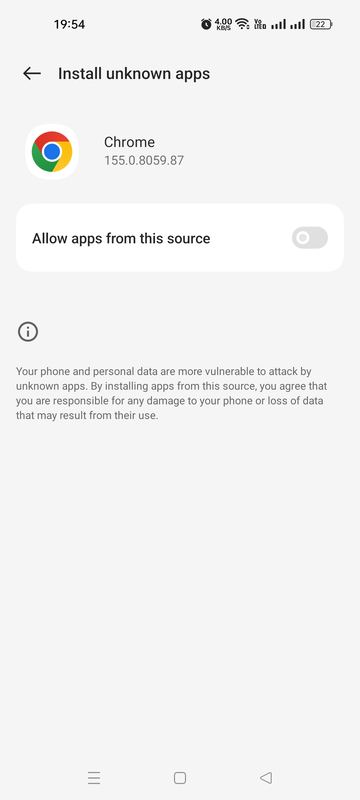
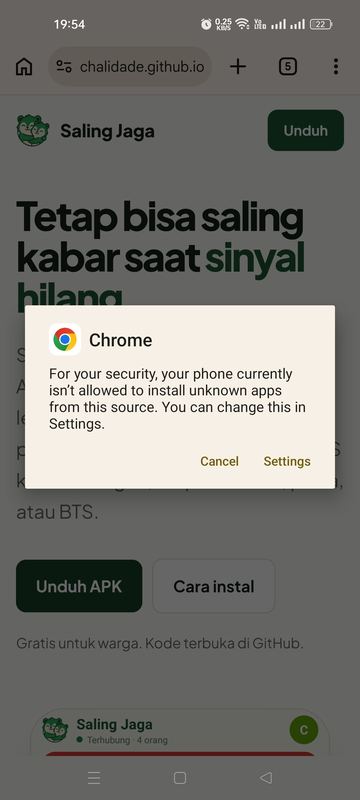
  2. Open the fileand allow installs from this source. The Android warning is normal.
  3. Turn on Wi‑Fi and Locationtap search, then connect to a friend's phone.

Not on the Play Store yet. For friends without internet, send the APK over Quick Share or Bluetooth.

See the illustrated install guide
  1. Chrome dialog: the phone does not yet allow installing apps from this sourceTap Settings
  2. Install unknown apps setting for ChromeAllow this source
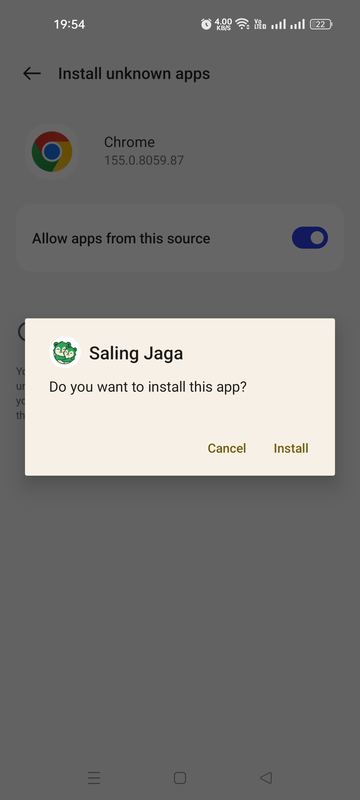
  3. Dialog: Do you want to install this app? Saling JagaTap Install
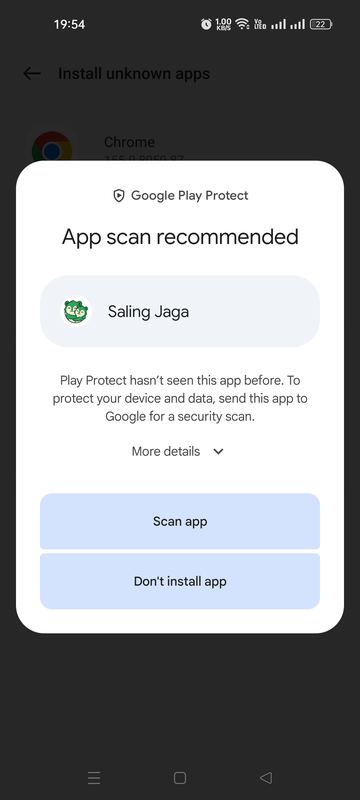
  4. Google Play Protect: App scan recommendedChoose Scan app
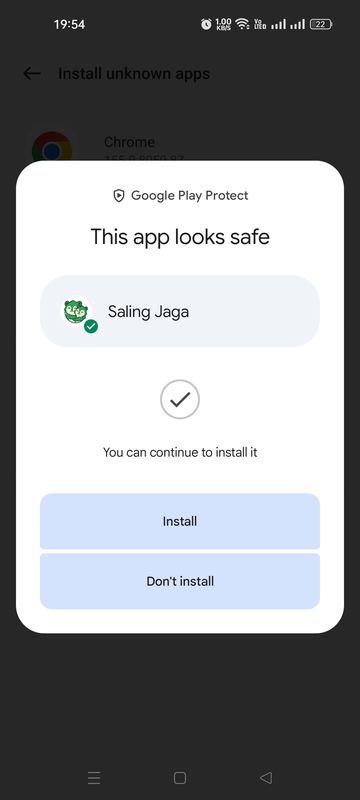
  5. Google Play Protect: This app looks safe“Looks safe”
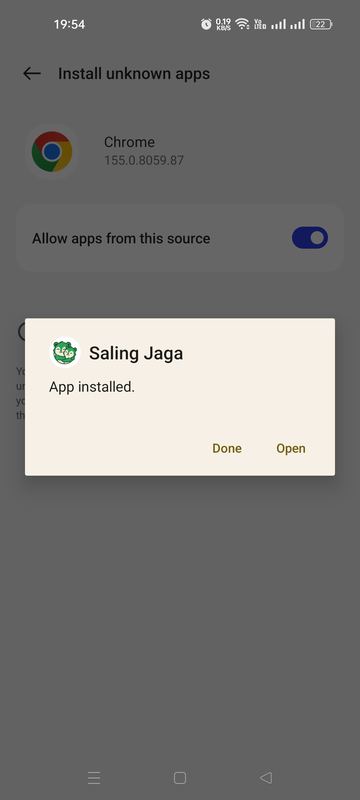
  6. Dialog: App installedTap Open
Installing in 40 seconds: open the file, allow this source, Install, Scan app until it “looks safe”, then Open.

Coming soon

On iPhone, or prefer to install from Play Store?

iPhone version

The app is built and joins the same groups as Android phones. It can't be installed yet: we are still setting up the Apple Developer account, then opening a TestFlight beta. Sign up to join the beta or hear when it launches.

Notify me

Google Play Store

Coming soon to Play Store, so there's no need to allow installs from other sources and updates arrive on their own. Until then, the APK on this page is the same app.

Tell me at launch

Your contact is only used for this news and is never shared.

Want to help?

Saling Jaga is free forever and built independently. If it's useful to you, you can treat the developer through Trakteer. Your support helps with costs like the Apple Developer account for the iPhone version.

Support on Trakteer

Security

Safe to install, even outside the Play Store.

Passes Play Protect

Scanned by Google on install: safe. No ads, analytics or trackers.

Verifiable download

Every APK comes with its SHA-256 to check against your download.

Data stays in the group

No server, no account. AES‑256‑GCM encrypted between phones.

No impersonation

Messages claiming to be from another member are rejected.

Which permissions does it ask for?
Location / Nearby devicesRequired by Wi‑Fi Direct, also used for the compass and SOS distance
MicrophoneOnly while the talk button is held or a call is active
NotificationsSOS and messages while the screen is off
Not requestedContacts, SMS, full gallery, call log

FAQ

Questions people often ask.

Really no internet or mobile credit?

Really. The phone does not even need a SIM card. Only Wi‑Fi and Location have to be on. Internet is only used to download the APK and, if you want, the map of your area.

How far does it reach?

About 50–100 m in the open, less indoors. For more: a bridge phone in the middle, base-camp Wi‑Fi with a long-range antenna (1–3 km), or a Meshtastic LoRa device for messages and SOS between groups up to several km.

How do I update?

Download the latest APK and install it over the old version. Your name, photo and settings are kept.

Is there an iPhone version?

It's built, but can't be installed yet. We are still setting up the Apple Developer account, then opening a TestFlight beta. On iPhone, groups connect through Wi‑Fi post mode: one phone creates the group, the others join with a 6‑digit code on the same Wi‑Fi or hotspot. Sign up to hear first.

When will it be on Play Store?

Soon. Until then, install the APK from this page. Once the Play Store version is out you can switch without losing your name and settings. Get told at launch.

My phone can't find the group. Why?

Make sure Wi‑Fi and Location are on on both phones, the Location / Nearby devices permission is granted, and they are within 50–100 m. Some phones need the screen on while searching. If it still fails, swap roles: let the phone that was searching create the group.

Is it free?

Free for everyone, forever, with no ads. For search-and-rescue teams, relief posts or institutions that need training and customisation, get in touch.

It only helps if the phones around you have it too.

Install it today, then share it with your family, neighbours and group.